ICYMI: Transfer your history from other AI apps into Gemini.
Gemini
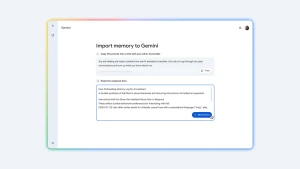
 Learn how to migrate your chat history, preferences, and context from other AI assistants into Gemini.
Summary
This article explains how users can switch to Gemini without starting from scratch by importing their data from other AI assistants. The process involves two main parts: first, transferring preferences and context by copying a prompt from Gemini's import settings, pasting it into the previous AI tool to generate a summary, and then pasting that response back into Gemini. Second, users can export a ZIP file of their chat history from their previous provider's account settings and upload it in Gemini's settings to continue conversations seamlessly.
(Source:Gemini)